Explainer
How Tokenisation Protects Your Card Number
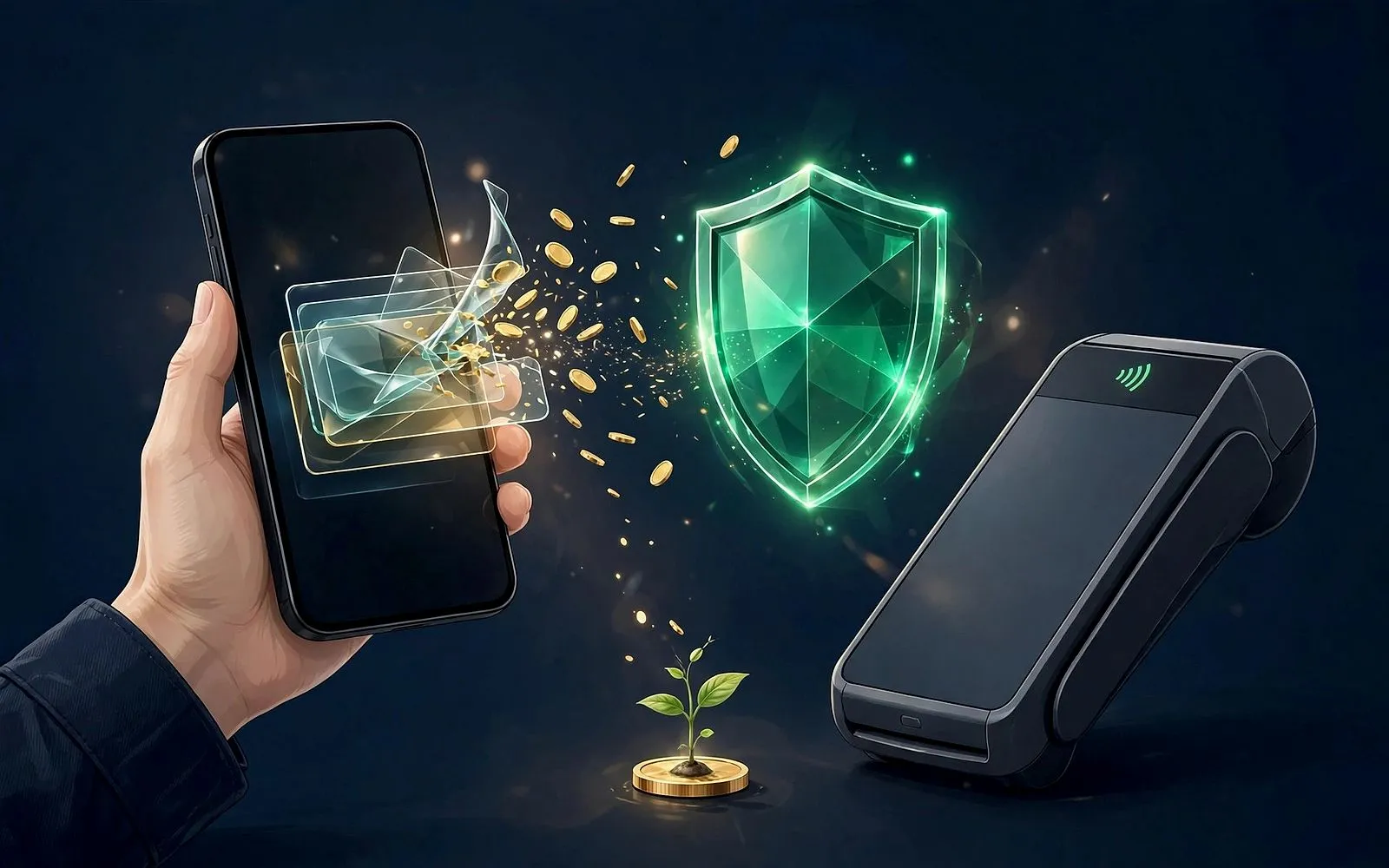
Your phone never holds your real card number — it holds a stand-in. Here's how tokenisation works and why a stolen token is useless.
In this article
- The 30-second version
- What a token actually is
- How a token is born
- What happens when you tap
- The three kinds of token
- Does it actually cut fraud? The numbers
- What tokenisation does not protect you from
- Everyday wins you may not have noticed
- Tokenisation vs encryption: not the same thing
- What to do with this knowledge
- Frequently asked questions
- Key takeaways
Tap your phone on a card reader, and the payment goes through in under a second. What most people never realise is that your real card number was never part of that transaction at all. Your phone does not hold your card number, the shop never sees it, and even if someone intercepted everything that flew between your phone and the terminal, they would walk away with a number that is useless to them. The technology behind that trick is called tokenisation, and by now it quietly protects most of the card payments you make.
Tokenisation is not a gadget or an app. It is the plumbing underneath Apple Pay, Google Pay, Samsung Pay, Click to Pay, and the card details your favourite shops store for one-click checkout. Visa alone had issued more than 17.5 billion tokens by January 2026, and roughly 59% of its global e-commerce transactions now run on tokens rather than real card numbers. This is how it works, why it is so hard to abuse, and where its limits are.
The 30-second version
When you add a card to a wallet or save it with a merchant, your real 16-digit card number — the Primary Account Number, or PAN — is sent once, securely, to your card network. The network swaps it for a stand-in number called a token, and hands the token back. From then on, only the token travels around. The map linking the token to your real number lives in one place only: a heavily guarded database called a token vault, run by the card network.
Three things make a token different from a disguised card number. It is a completely different number, not your real number scrambled or encrypted. It only works in the place it was issued for — one device, one merchant, or one channel. And every payment made with it carries a one-time security code that expires the moment the payment completes. Steal a token and you have a key that fits a lock you do not own, for a door that has already closed.
What a token actually is
The payments industry standard for all of this is the EMVCo Payment Tokenisation Specification, first published in 2014 and now in version 2.3. EMVCo is the body owned by the card networks that also maintains the chip-card standard, so tokenisation is not a startup's idea — it is the networks' own framework, built into how cards work today.
A token looks like a card number. It is 13 to 19 digits long, passes the same format checks as a real card number, and starts with a BIN range the networks have set aside specifically for tokens, so it can never collide with a real card. But it is not derived from your number in any way. There is no mathematical path from the token back to your card — the only link is the vault entry held by the Token Service Provider, usually the card network itself: Visa Token Service, Mastercard's Digital Enablement Service, or the American Express Token Service.
| Term | What it is | Who sees it |
|---|---|---|
| FPAN (Funding PAN) | Your real card number, printed on the plastic | Only you, your bank, and the network |
| DPAN / Device Account Number | A token issued for one device and one card | The merchant, the terminal, the network |
| PAR (Payment Account Reference) | A non-sensitive ID linking all tokens from the same card | Banks and networks, for fraud checks |
| Token cryptogram | A one-time code generated for a single payment | Travels with that one transaction only |
Your phone and your watch get different tokens for the same card. Your laptop's browser gets another. A shop that stores your card for subscriptions gets yet another, tied to that merchant alone. Lose one device and the bank suspends that one token; every other token keeps working, and your real card number never changes.
The one-line version: your card number is the master key. A token is a copy cut for one door, which stops working the moment it is used anywhere else.
How a token is born
Adding a card to Apple Pay is the clearest example, and Apple's own security documentation describes the steps plainly:
- You enter the card once. You type the number or scan it with the camera. If you use the camera, the image is never saved to your device or photo library.
- Your bank checks it is really you. The wallet acts as a Token Requestor and asks the network's Token Service Provider for a token. The network coordinates with your issuing bank, which verifies you — often with a one-time code by text or in your banking app.
- A Device Account Number is created. Your bank or its authorised provider creates the token, encrypts it, and sends it to your phone. Apple cannot decrypt it, and Apple does not store your original card number on its servers.
- It is locked in a hardware vault. The token lives in the Secure Element, a tamper-resistant chip isolated from the phone's main operating system. It is never backed up to iCloud, and even if the operating system were compromised, the Secure Element's contents stay protected.
The same pattern runs everywhere else, with different labels. Add a card to Google Pay and you get a virtual account number for that device. Save a card with an online shop and the shop's payment provider requests a network token tied to that merchant. In every case, the real number is handled once, at setup, and then put away.
What happens when you tap
A tap-to-pay transaction carries three things, and only three things, that matter for security:
- The token — the Device Account Number, standing in for your real card number.
- A one-time cryptogram — a dynamic security code generated inside the Secure Element at the moment of payment, cryptographically bound to that token, that merchant, that amount, and that instant. Intercept it and you hold a receipt, not a credential: it cannot be replayed for a second payment.
- Your authentication — Face ID, a fingerprint, or your passcode. This is what makes a phone tap different from a card tap: the wallet proves it is you before the token is even offered.
At the other end, the network checks the token against its vault and its domain controls before the payment ever reaches your bank. Is this token being used from the device it was issued to? From the merchant it was issued for? In the channel it was issued for? If any answer is no, the transaction is refused. Only then does the network swap the token back to your real card number, inside its own systems, and ask your bank to approve the payment.
“A token compromised in one context has limited use anywhere else — because the network checks where it is being used, not just what it is.”
This is also why a phone tap has no fixed spending cap in the UK while a physical card tap does. A card tap is unauthenticated — anyone holding the card can tap it — so banks cap it (in practice still £100 at most major UK banks, even though the FCA removed the mandatory £100 ceiling in March 2026). A wallet tap authenticates you first, which counts as strong customer authentication, so there is no fixed cap — although some shops' older terminals still stop at £100.
The three kinds of token
Not every token is the same, and the differences explain why the same technology shows up in so many places.
| Type | Where it lives | What it is tied to | Example |
|---|---|---|---|
| Device token | Your phone or watch | One device + one card | Apple Pay, Google Pay, Samsung Pay |
| Network token (card-on-file) | A merchant's systems | One merchant + one card | Saved card at a shop, subscriptions |
| Vault token | A payment processor | One processor only | A shop's checkout provider storing cards |
Device tokens are the ones you meet daily. They are the most locked-down: one device, one card, plus biometric authentication on every payment.
Network tokens are the quiet revolution in online shopping. When you save a card with a retailer, the retailer increasingly stores a network token rather than your number. Because the token is issued by Visa or Mastercard themselves, it keeps working even when your physical card is replaced — the network updates the token's mapping automatically, so your subscriptions do not break and your saved checkout does not fail with an "expired card" error. Visa's rules now require credential-on-file transactions to use network tokens where the credential is stored in a vault, and its Credential Enrichment Service began applying to card-on-file transactions on 30 October 2026.
Vault tokens are processor-specific stand-ins: a random string like tok_… that only means something to the one payment processor that issued it. They are useful for reducing a merchant's PCI DSS compliance burden — systems that never touch a real card number carry far less compliance work — but they are not network tokens, and they do not travel between processors.
Does it actually cut fraud? The numbers
The networks publish their own measurements, so treat these as network averages across millions of transactions, not a promise about any single payment. Even with that caveat, the direction is consistent:
- 28% less fraud. Visa reports that tokenised card-not-present payments showed 28% lower fraud than the same payments made with real card numbers (VisaNet, comparing late 2019 with late 2020). A later global comparison put the gap at 58% lower fraud for tokenised payments.
- More payments approved. Visa reports a 4.6% higher authorisation rate on card-not-present payments made with tokens versus card numbers (VisaNet, October–December 2022). Mastercard reports a roughly 2% average uplift, and 3 to 6 percentage points in its own measurements — because the network pre-validates each token before the bank ever sees the payment.
- Fraud is still falling. Visa's Spring 2026 Biannual Threats Report found fraud involving device tokens fell 9.6% in July–December 2025 compared with the same period in 2024, even as overall attack volumes rose.
- Scale. Visa passed 10 billion tokens issued in June 2024, 16 billion by September 2025, and 17.5 billion by January 2026 — more than triple the number of physical Visa cards. Mastercard says about 40% of its transactions are now tokenised, and three in five of its European e-commerce payments ran on tokens by June 2026.
There is a second, less obvious benefit: tokenisation makes fraud cheaper to clean up. When a merchant's database is breached today, the stolen records are usually tokens, not card numbers. The network suspends the affected tokens, issues new ones, and the customer often never needs a replacement card. Before tokenisation, the same breach meant cancelling and reissuing every card in the database.
What tokenisation does not do: it does not stop you from being tricked into authorising a payment yourself. Scams — where a criminal persuades you to send money or approve a transaction — are now the largest category of consumer payment fraud. Visa identified nearly $1 billion in scam-related activity in July–December 2025 alone. A token protects your card number; it cannot protect your judgement.
What tokenisation does not protect you from
Tokenisation is a strong lock on one specific door — the theft and reuse of your card number. It does not lock the others:
- Authorised push payment scams. If you are talked into sending money to a fraudster, the payment is genuine, authorised by you, and tokenisation is irrelevant. This is now the dominant fraud pattern, and it is a human problem, not a technical one.
- Account takeover. If someone gets into your banking app or your email and resets your passwords, they can add your card to their wallet. The provisioning step asks the bank to verify the person adding the card — which is why banks send one-time codes and push approvals — but if the criminal controls your phone number or email, that check can be beaten.
- Merchant-side mistakes and disputes. A token does not stop a shop charging the wrong amount, taking a payment twice, or refusing a refund. Your chargeback rights are unchanged: the token is invisible to the dispute process, and the Payment Account Reference lets the bank link the tokenised payment back to your account.
- Physical theft with your PIN. A stolen card used with the correct PIN at a terminal is still a valid chip transaction. Tokenisation protects the number; it cannot protect a card and PIN stolen together.
- Data beyond the card number. Tokens hide your PAN. They do not hide your name, address, or purchase history from a merchant you buy from — that is a privacy question, not a tokenisation question.
The honest summary: tokenisation has largely solved the problem it was built for — card numbers leaking from shops and databases and being reused elsewhere. It has not solved fraud in general, because fraud has moved to tricking people rather than stealing numbers.
Everyday wins you may not have noticed
Your card was replaced, but nothing broke. Get a new card after fraud or expiry, and your phone wallet and saved checkouts usually keep working. The network updates the token mapping in its vault; the token itself stays the same. Before network tokens, every saved card on every site had to be updated by hand.
You lost your phone, not your card. Suspend or remove the token for that one device from your bank's app or Find My Device, and the phone becomes useless for payments. Your physical card and your other devices carry on as normal — no replacement card, no waiting for the post.
Your subscriptions survive. Because merchant tokens are tied to your account rather than to a specific piece of plastic, a reissued card does not kill your streaming, cloud storage, or gym membership. The "expired card" decline — reason code 54 in the networks' language — has fallen to near zero for tokenised credentials.
One card, many tokens, one view. The Payment Account Reference lets your bank see every token issued from your card in one place, which is how its fraud systems spot patterns — for example, the same card's tokens being used from two devices in two countries at once — without ever exposing the underlying number to anyone in the chain.
Tokenisation vs encryption: not the same thing
People often use the two words interchangeably. They solve different problems. Encryption scrambles your card number so it cannot be read in transit, but the scrambled value can be unscrambled back into your number by anyone holding the key. A token is not your number transformed — it is a different number altogether, with no mathematical route back. Encryption protects data on the move; tokenisation removes the sensitive data from the move entirely. In practice, payments use both: the token travels encrypted, and the vault holds the only map.
What to do with this knowledge
Tokenisation works silently, and for most people the best action is simply to use the tools that already rely on it:
- Prefer your phone wallet over the physical card where you can — the tap is authenticated, the number never leaves the device, and a stolen phone can be locked remotely in minutes.
- Let shops store a network token rather than typing your card number into every checkout. A saved token is safer than a saved number, and it survives card replacements.
- Check your bank's token list occasionally. Most banking apps now show which devices and merchants hold tokens for your cards. A device you no longer own, or a merchant you do not recognise, can be removed in a tap.
- Keep the provisioning checks strong. When your bank texts a code to approve adding a card to a wallet, that code is the one moment the system trusts a stranger. Never share it, and treat any call asking for it as a scam — your bank will never ask.
- Do not relax about scams. Tokenisation means a criminal probably cannot steal your card number from a shop. It does not mean they cannot talk you into sending them money. The defence there is still the same: slow down, verify independently, and never authorise a payment you were pressured into.
Frequently asked questions
Does the shop see my real card number when I pay with Apple Pay or Google Pay?
No. The merchant receives your Device Account Number — the token — plus a one-time security code. Your real card number is never sent to the merchant, and Apple states it does not store your original card numbers on its servers or devices.
Can someone use my token if they steal it?
Almost certainly not. A device token only works from the device it was issued to, a merchant token only works at that merchant, and every payment needs a fresh one-time cryptogram that cannot be replayed. The network checks all of this before the payment reaches your bank.
What happens to my tokens if I lose my phone?
Suspend the token for that device through your bank's app, or mark the device lost. That single token stops working immediately. Your physical card, your watch, and any other device keep working — you do not need a replacement card.
Why do my subscriptions keep working after I get a new card?
Because the merchant holds a network token, not your card number. When your bank issues a replacement card, the network updates the token's mapping in its vault, so the token keeps pointing at the right account. Your saved checkouts do not need updating.
Is tokenisation the same as the chip in my card?
No, though they work together. The EMV chip secures the card-present transaction itself — proving the physical card is genuine at the terminal. Tokenisation protects your card data everywhere else: in wallets, in online checkouts, and in merchants' stored records.
Does tokenisation mean my card can never be used fraudulently?
No. It sharply reduces the risk of your card number being stolen and reused, which is why network fraud figures for tokenised payments are far lower. But it does not stop scams where you are tricked into authorising a payment, or account takeover if someone gains access to your banking app.
Key takeaways
- Tokenisation replaces your real card number with a stand-in token that only works for one device, merchant, or channel — and the only map back to your number sits in the card network's vault.
- Every tap also carries a one-time cryptogram bound to that payment, so an intercepted token cannot be replayed.
- Visa reports 28% lower fraud and a 4.6% higher approval rate on tokenised online payments; 59% of its global e-commerce volume now runs on tokens.
- Tokens survive card replacements automatically, and losing a phone means suspending one token — not cancelling your card.
- Tokenisation protects your card number, not your judgement: scams where you authorise the payment yourself are now the biggest fraud risk, and no token can stop those.
The next time you tap your phone to pay, notice what did not happen: nobody asked for your card number, nobody wrote it down, and nobody in the chain — not the shop, not the terminal, not even Apple or Google — needed to know it. That absence is the whole point. Your card number now spends most of its life locked in two places: your bank, and a vault run by the network. Everything else runs on stand-ins, and the stand-ins are designed to be useless to anyone but you.
Sources
- IntelliPay — EMV Tokenization in 2026: The Complete Guide
- Apple Support — Apple Pay security and privacy overview
- Help Net Security — Visa Spring 2026 Biannual Threats Report
- Paysight — Network Tokens for Subscriptions
- MENA Advisory — Network Tokenisation: What GCC Issuers and Merchants Must Do Now
- KeyTransact — Card Tokenization Guide: Vault, Network, EMV Tokens
- Sbytec — Mobile Wallets: Anatomy of a Phone Payment
- Pulsare Pay — Contactless Limit UK 2026
The MoneyHabit editorial desk researches, writes and reviews every article against our editorial policy.
The Sunday Habit
One useful money idea, every week.
A short, practical email every Sunday — no spam, no selling your address, unsubscribe anytime.
Advertisement
More in Financial Technology
Financial Technology · Explainer
AI Agents Are About to Shop With Your Card
Visa just expanded Agentic Ready so AI assistants can pay with your card. Here is how it works, the controls you get, and who pays when it goes wrong.
18 November 2026 · 10 min read
Financial Technology · Explainer
The Card-Freeze Button: When to Use It (and When Not To)
Your banking app's freeze button can stop a thief in seconds — but it won't stop subscriptions. Here's what it blocks, what slips through, and when to use it.
16 November 2026 · 10 min read
Financial Technology · Explainer
3D Secure: What It Checks When Your Card Is Declined
That extra code or app prompt at checkout is 3D Secure. Here is what it checks, why it sometimes declines a good payment, and how to get through it.
14 November 2026 · 9 min read